Remember how we have used a few different data types?
//Integer, whole number
int x = 5;

//float, decimal number
float y = 3.827f;

//bool, true/false value
bool myBool = false;

//string, text data
string name = "Ethan";
Classes are, in a way, like more complex data types, that we create ourselves. They can contain a number of different members:
class Goblin
{
	public int maxHP;
	public int currentHP;
	public float attack;
	public float speed;
}
Oh, that looks neat!… what’s up with that? What does it mean?
The section of code above is called a Class Definition. It’s a way to group data together under one roof, and call that grouped data by a single name. This is similar to how arrays work… but this concept is a bit different. Whereas arrays are groups of a SINGLE data type, classes allow us to group all kinds of different data together, and do more besides!
Now that we have our Goblin class definition above, we can create Goblins just like we could create integers, floats, strings, etc:
Goblin bob = new Goblin();
And we can set the values of the members on this Goblin, named bob:
bob.maxHP = 30;
bob.currentHP = 20;
bob.attack = 10.5f;
bob.speed = 15.0f;

//We can even set the members to the values of other variables:
int whatever = 15;

bob.maxHP = whatever;
Creating an individual Goblin like this is called creating an instance of a class. This is because we can create more than one Goblin at a time! Think of the class definition like something of a “Goblin blueprint” (what attributes do all goblins have?) and the instances we create being “actual” Goblins.
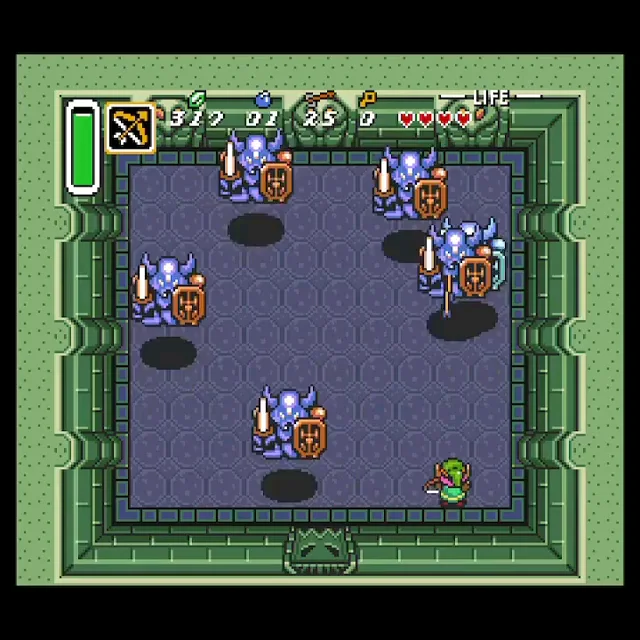
So an individual Goblin is called an instance. Let’s try out making multiple Goblin instances ourselves:
Goblin george = new Goblin();
george.maxHP = 20;

Goblin ethan = new Goblin();
ethan.maxHP = 30;

Goblin danny = new Goblin();
danny.maxHP = 5;
danny.attack = 30.0f;
We can also initialize the values of the Goblin’s members when we create it:
Goblin george = new Goblin() { maxHP = 50, currentHP = 49, attack = 19.0f, speed = 22.3f };

//similar to how we'd initialize a variable when we
//create it, like int x = 10;
And we can ensure when a Goblin is created, its members will have default values:
class Goblin
{
	public int maxHP = 40;
	public int currentHP = 40;
	public float attack = 15.0f;
	public float speed = 12.0f;
}
But wait, there’s more! We can also add functions to classes (we’ve seen this with classes like Console… Console.WriteLine, etc)
Note
Sometimes I’ll use the words “method” and “function” interchangeably. They mean the same thing. Technically method is the correct word when talking about a function that can be called on a class, but they’re the same thing.
Let’s revisit our Goblin class:
class Goblin
{
	public int level;
	public int xpTotal;
	public int maxHP;
	public int currentHP;
	public float attack;
	public float speed;

	public float GetPercentHealth()
	{
		//Casting here since integer division
		return (float)currentHP/maxHP;
	}

	public void TakeHit(int hp)
	{
		currentHP -= hp;
	}

	public void GainXP(int xp)
	{
		xpTotal += xp;
	}
}
OK, so how does this work in practice? We can call a method on an instance of a goblin, like so:
Goblin danny = new Goblin();
danny.currentHP = 9;
danny.maxHP = 10;
float dPercent = danny.GetPercentHealth(); //will store the value 0.9f in dPercent

Goblin ethan = new Goblin();
ethan.currentHP = 5;
ethan.maxHP = 10;
float ePercent = ethan.GetPercentHealth(); //will store the value 0.5f in ePercent
When a method is called on a class instance, the method will use the members of that specific instance! All Goblins have a currentHP and a maxHP, but they’re unique to each Goblin instance.
So now we know classes can have pieces of data in them, called members, and they can have functions, which we call methods.
What’s the actual use of making classes like this?
- We’ve grouped together bits of data that need to know about each other (like the Goblin class’ current and max HP) or that work together in some fashion (the other stats belonging to the Goblin).
- We’ve grouped the data with functions that operate on it (like GetPercentHealth).
- We’ve grouped all “goblin-related” things in a single place in code.
- We can pass around the grouped data/functionality when we create new Goblins.
The . (dot) operator
We’ve been using this operator with our Goblin class. This operator lets us access the public members/methods of a class. C# will also create a few things for us by default when we create a new class. Among them is the ToString method, which gives us a string representation of our class! We haven’t talked about this much, but we may dive into it more in the future. We can also access this with the dot operator.
The private/public keywords
If a member or method of a class is marked as private, then we can’t access them from a different class. When a member or method isn’t specified as public, it is private by default. For now, we’re going to mark our class methods/members as public, so everyone can access them.
But when would we NOT want something to access the members/methods of a class? Consider the following situation:
Goblin bob = new Goblin();
bob.currentHP = -20;
Any code could just set bob’s current HP to a negative number! How could we prevent something like this from happening? Well, we could make the member variable private:
class Goblin
{
	private int currentHP;
}
So that makes the variable private! It can’t be randomly changed by some other programmer digging around in our code. But now it can’t be accessed by other classes, and trying to do so will cause a compile error:

What to do? Well instead of accessing a Goblin’s currentHP member directly, we could do so using one of the Goblin’s public methods:
class Goblin
{
	private int currentHP;
	public void SetHP(int hp)
	{
		if(hp > 0)
		{
			currentHP = hp;
		}
	}
}
So even though the currentHP member is private, we can still call a public method of the Goblin class to indirectly alter that data! The process of regulating access to a class’s private data using public methods is called encapsulation. This is a useful tool because it allows programmers to gate access to internal data and ensure it is only accessed or modified in certain ways.
Constructors
So what actually happens when we create a new instance of our Goblin class? Classes have a member function that is automatically created for them by the compiler. It’s called a constructor.
//The constructor is being called at this moment!
Goblin freya = new Goblin();
Constructors are special functions we use when we create an instance of a class. They’re a bit different from other functions:
- Constructors DO NOT HAVE A RETURN TYPE, and DO NOT RETURN ANYTHING. Notably, they don’t even use the void return type!
- Constructors are ALWAYS named the same name as the class.
- If a constructor is not created/coded by the programmer, a default constructor is created by the compiler
We can actually create our own constructor, so we can control how Goblins are created! Instead of calling the default constructor created for us, we’ll be calling our own.
class Goblin
{
	private int currentHP;
	private int maxHP;

	//We just made a constructor!
	Goblin(int hp)
	{
		currentHP = hp;
		maxHP = hp;
	}
}

//Later...
Goblin jenkins = new Goblin(76);
The static keyword
We can label a whole class, or even just some of its members/methods, as static. What does this do?
When a member or function of a class is static, this means it isn’t accessed through an instance of a class… but through the class name itself:
Console.WriteLine("We're using a static function of the Console class!");Many of the classes we have used so far have been static, such as the Console or Math classes. These classes don’t have instances associated with them; the classes themselves are treated more like a collection of functions, rather than data types that can be created individually (like our Goblin class).
Value Types and Reference Types
We mentioned VERY briefly that when we pass Goblins to functions, we’re actually changing the Goblins themselves… we’re not copying them like we have been with every other function we’ve called. What’s going on here?
int DubNumber(int x)
{
	return (2 * x);
}

//Called from somewhere else in code...

int a = 5;
int b = DubNumber(a);
We know that the value of variable b will change… but a won’t. Why is that? Recall that when we call a function like DubNumber, we’re passing a COPY of a’s VALUE to the function, not the variable a itself. So, a doesn’t change. We get a return value that is an integer, and we’re assigning that value to b. And that value is ALSO being copied… straight out of the function, as a return value, right into variable b.
OK so… Goblins are the same thing, right? WRONG!
static public void BeatUpGoblin(Goblin myGuy)
{
	myGuy.currentHP = 1;
}

//Later, in some other code...

Goblin danny = new Goblin();
danny.currentHP = 50;
BeatUpGoblin(danny);
We would expect danny.currentHP to stay at 50 after this function call, but it doesn’t! Its value changes to 1! We can verify this in a running program.
So, why is this happening? It turns out that C# uses what are called Value Types and Reference Types. Almost everything that you will care about in C# will be a reference type. We’ve really only used value types until now, so this change might seem a bit jarring. Let’s dig deeper.
What are value types? These are types in C# that are assigned and passed by value. Consider the following:
int x = 5;
int y = x;
y = 10;
Console.WriteLine("x: {0}", x);
Console.WriteLine("y: {0}", y);
This code will output:
x: 5
y: 10
We know instinctively that changing the value of y should NOT change the value of x. When we created y, we pasted a copy of x’s value into y.
However, consider the following:
Goblin barkums = new Goblin();
barkums.currentHP = 5;

Goblin jankums = barkums;
jankums.currentHP = 7;
OK so… did we not just copy the values stored in barkums into jankums, and make a whole new Goblin? Nope, we didn’t! Turns out barkums and jankums are references to the SAME Goblin. Changing the members of one will change the members of the other!
Notice how in the sentence above I said “whole new goblin”.

Whenever we create classes in C#, we have this weird bit of syntax here:
Goblin ethan = new Goblin();
int[] myNumbers = new int[20];
What’s with this new stuff? Turns out, this is how we create reference types. We use the new keyword!
OK so.. what actually ARE reference types? They’re just types that we pass around and assign using references, rather than values. When we want to actually MAKE the stuff that is referred to, we have to use the new keyword:
Goblin danny;
danny = new Goblin();
Right, yes, we’ve done this already! But… wait… that first line is odd. We didn’t actually SET danny to anything. It’s just… a Goblin, but it isn’t a new Goblin. What does that MEAN? UUUUUUUUUGH.
null
Reference types only REFER to values. They can be set to whatever thing you WANT to set them to. But we still need to CREATE those values somewhere, right? new is how we accomplish that.
But in that code above, danny isn’t referring to anything, at least not at first. How is that possible? Turns out, danny’s value is something called null. Since we haven’t actually CREATED a Goblin yet, there is nothing for our Goblin reference variable danny to refer to. So initially, it refers to nothing. Its value is null.
When we create class instances, we need to actually ALLOCATE memory for those instances. Same thing with arrays! Which might also explain why passing arrays into functions is done… by reference!
Taking this further!
Let’s make an array of Goblins, shall we?
class Goblin
{
	public int currentHP;
	public int maxHP;
}

//Somewhere in another class...

Goblin[] gobbos = new Goblin[3];
gobbos[0].currentHP = 5;
gobbos[0].maxHP = 10;
This is something that should be totally valid! But… we get a runtime error with this code. We need to do the following:
Goblin[] gobbos = new Goblin[3];

for(int i = 0; i < gobbos.Length; ++i)
{
	//VERY IMPORTANT!
	gobbos[i] = new Goblin();

	//OK, NOW we can set values
	gobbos[i].currentHP = 5;
	gobbos[i].maxHP = 10;
}
Each Goblin reference in our array doesn’t initially refer to anything! They’re all null! So before we start setting values, we need to create new instances for each of our Goblins!