There are many different compilers we can use to compile our code, and many different ways to use each compiler.
For this course, I am VERY STRONGLY RECOMENDING that you use Microsoft’s compiler, called Microsoft Visual C++ (MSVC). This compiler can be downloaded alongside Visual Studio. Visit the Tutorial - Software Installation Guide to see how to download Visual Studio and MSVC.
Option 1: Visual Studio Terminal (HIGHLY PREFERED)
Before you start!
Compiling from the Visual Studio terminal is meant to work with Visual Studio’s “Open Folder” mode. If you open your “Solution Explorer” window and see a Solution and Project, then you have already gone too far. You need to backtrack to Starting a New Assignment/Lab.
Warning about the Terminal
The rest of this tutorial assumes you’re using a terminal INSIDE OF VISUAL STUDIO. This is NOT the same as using a terminal outside of Visual Studio. The section below describes how to open a terminal inside Visual Studio.
Opening the VS Terminal
To compile from the VS terminal, we first need to make sure it is open.
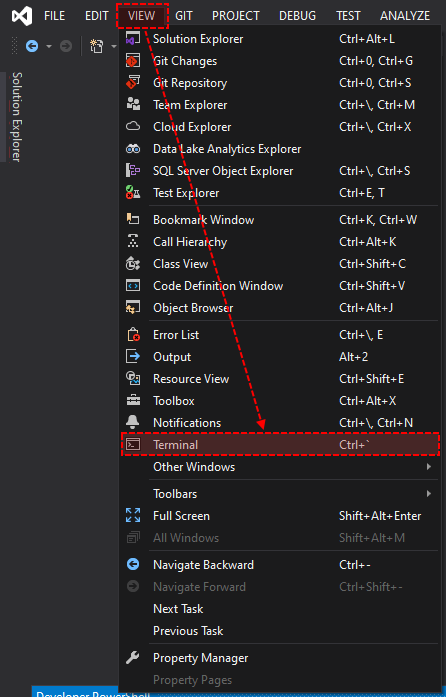
To open the VS terminal, go to VIEW → Terminal
Developer Powershell, or Developer Command Prompt?
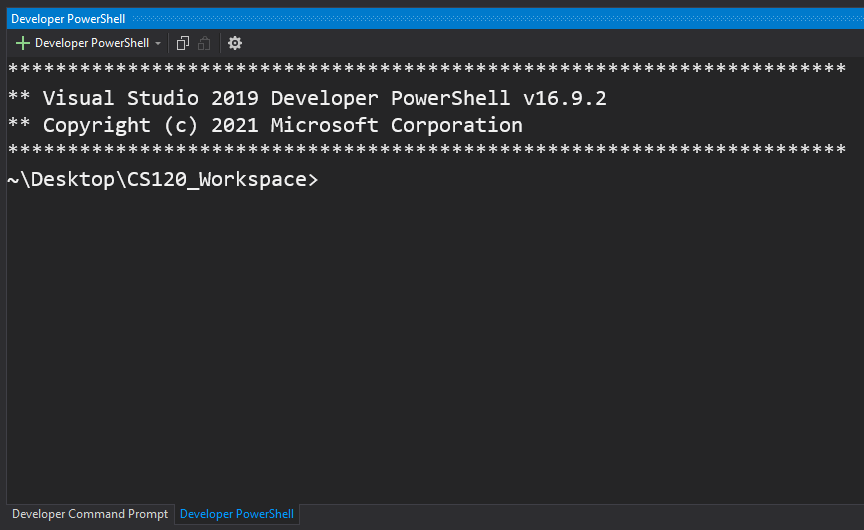
When you first open the terminal, you’ll see something like this:
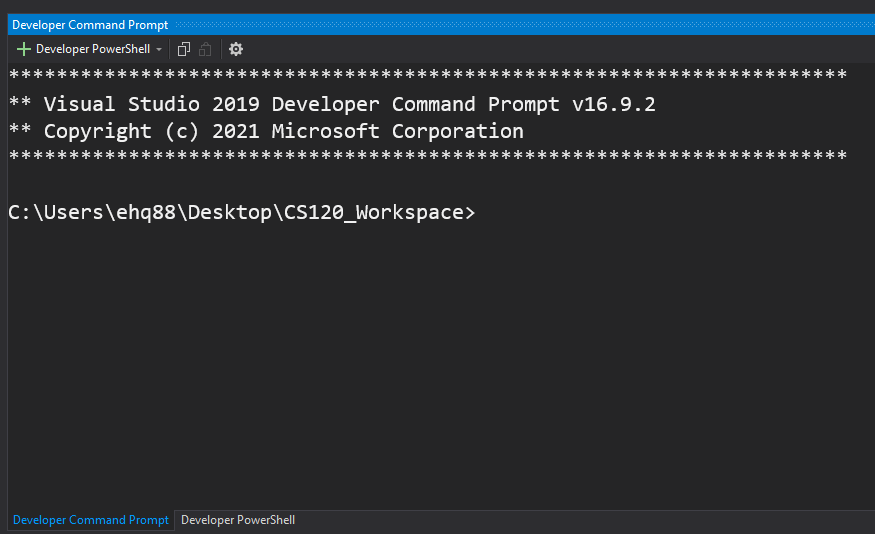
You might instead see a very similar looking window (rest assured, they are different):
Command Prompt and Powershell are just two different flavors of terminal we can use.
There are TONS of resources on the internet for how to use either one.
You may use whichever you prefer, but I prefer Powershell.
Warning
The rest of this tutorial assumes you’re using Powershell. If you decide to use the command prompt, be advised that certain commands may not match or produce the output in the tutorial.
Very basic Powershell commands
CS120 isn’t a Powershell course, and thankfully we’re not doing anything terribly complex in Powershell. But there are a few commands that will be useful for us in this course.
./ -----⇒ Runs a program or opens a file
./myFile.txt # opens myFile.txt in the default text editor
ls -----⇒ Lists the contents in the current directory/folder
cls -----⇒ Clears the output on the screen
Up/Down Arrow keys ----- ⇒ Scroll up/down through command history
cd -----⇒ Change Directory
cd ../ # Go up a directorycd ../../ # Go up two directoriescd ../../../ # Go up three directoriescd MyFolder # Go into a directory called MyFolder, if it exists in your current foldercd ../MyFolder # Go up a directory, then into a directory called MyFolder, if it existscd D: # Navigate to a drive called D, if it existscd C: # Navigate to a drive called C, if it exists
; (semicolon) -----⇒ do multiple commands in a single line
We can use a semicolon to string two commands together:
cls; ls
This will run cls, then run ls. The text on the console window will be cleared, then the console prints out the contents of the current directory. This is a convenience, so we don’t have to type each command individually, and we can use the up/down arrows to repeat clusters of commands.
Compiling
Once you have written your code file, it’s finally time to compile.
For this course we are using Microsoft’s compiler, called Microsoft Visual C++ (MSVC).
Let’s say your code file is called MyCode.c.
From the terminal, you can type the following command:
cl MyCode.c
This command will run all of the compilation steps, using your code file MyCode.c as input.
At this point, your compilation will either succeed or fail. Open the callouts below to see what to do in either scenario.
MyCode.exe in the output below:
Microsoft (R) C/C++ Optimizing Compiler Version 19.28.29913 for x86
Copyright (C) Microsoft Corporation. All rights reserved.

MyCode.c
Microsoft (R) Incremental Linker Version 14.28.29913.0
Copyright (C) Microsoft Corporation. All rights reserved.

/out:MyCode.exe  <----LOOK AT THIS THING YOU MADE!
MyCode.obj
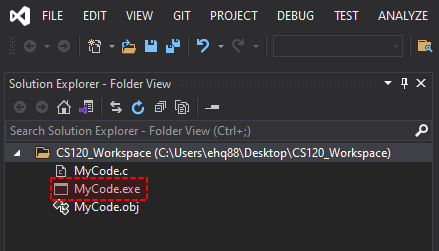
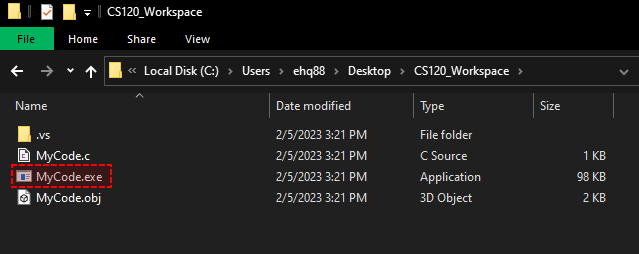
You can also check the Solution Explorer in Visual Studio, or just open your folder in Windows to see your executable file:
Failure
Microsoft (R) C/C++ Optimizing Compiler Version 19.28.29913 for x86
Copyright (C) Microsoft Corporation. All rights reserved.

MyCode.c
MyCode.c(10): error C2143: syntax error: missing ';' before '}'
If your compilation failed you will need to look at your code and fix whatever is causing the errors. For help with finding compile/linker errors, go here.
Running your program
You can now run your program! Visit this note to learn how to run your program.
Option 2: Visual Studio Project/Solution (NOT PREFERED)
Pleaaaaaase don't do this!
Visual Studio’s Project/Solution setup can be very convenient for creating a program in C. However, these conveniences can hide the true process of how code is built, which is something we’re exploring in CS120. And if somehow the Project/Solution setup is altered in a weird way, it can be difficult to diagnose issues. Please only use the Project/Solution method of making C programs if you are VERY comfortable with Visual Studio and have prior programming experience.
Warning about MIDTERM/FINAL
Some questions on the midterm/final may ask about ways to compile/link using the terminal. Even if you choose to compile with the Project/Solution setup, YOU ARE STILL RESPONSIBLE FOR KNOWING ABOUT COMPILING/LINKING VIA THE TERMINAL, FOR THE MIDTERM/FINAL.
Compiling
I will be filling out this section later. For now, please use Option 1 above.
So you want to know more?
Is Visual Studio the compiler?
No. Visual Studio is an Integrated Development Environment (IDE), not a compiler!
The compiler we are using is called ==Microsoft Visual C++ (MSVC)==. It is available to download WITH Visual Studio.
This compiler can be used to compile C code, as well as C++ code (though we’re only dealing with C in this course).
Part of the reason we’re compiling via the terminal (instead of just starting a new Project/Solution in Visual Studio) is because this distinction is important. Visual studio is actually a large suite of programs and tools, not JUST the compiler (though we sometimes talk about VS as if it is the compiler).
Wait, where IS the compiler located on my computer?
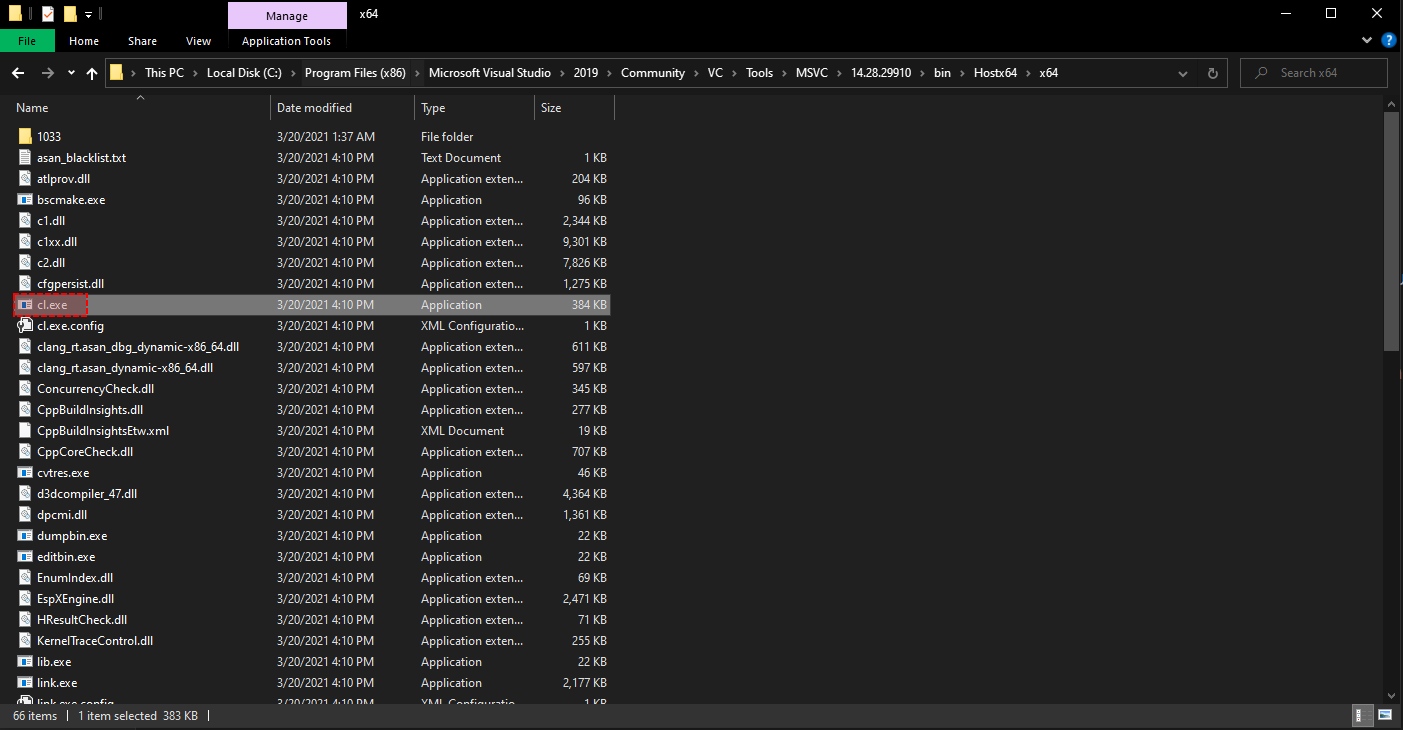
The actual compiler is just a program called cl.exe. You can even navigate to it in your Visual Studio installation. Mine looks like this:
What if I want to know more about how to use the compiler and its various options?