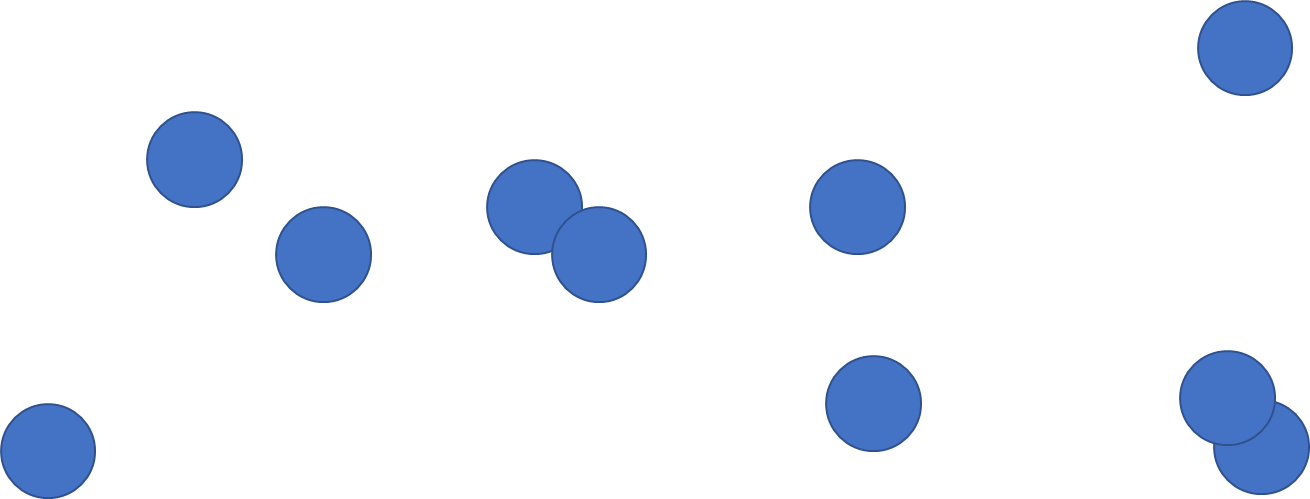
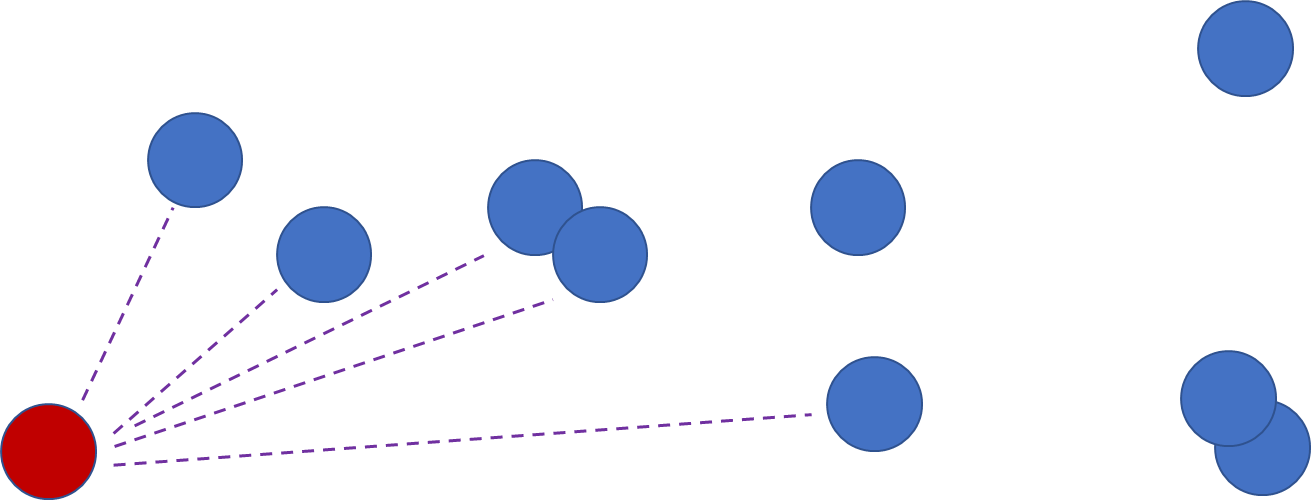
Suppose we want to know the collision status between each pair of items in our game:
Our game objects
Check them all aginst each other!
The (naïve but straightforward) approach we could use is a nested for loop. Simply compare each object to every other object:
for(int i = 0; i < 10; ++i){ for(int j = (i+1); j < 10; ++j) { //Given the indices of two game objects, //this function determines if they're colliding TestCollision(i, j); }}
QUESTION
Why would we assign the value (i+1) to our inner loop index, j?)
ANSWER
We want to prevent two things:
Checking an object for collision against itself, when i is equal to j:
TestCollision(4, 4)
Checking a pair of objects twice, since if we’ve tested ( i, j ) we don’t need to test ( j, i ):
TestCollision(6,7) … then later TestCollision(7,6)
We assume that there is a function we could call, which
takes in a pair of game object indices, which are just integers
returns a bool (the result of the collision check):
//Function prototype for TestCollisionbool TestCollision(int gameObjectIndex1, int gameObjectIndex2);
When we wrote our loop previously, we didn’t store away the value returned from the function.
But what if we wanted store ALL of the results of our collision detection test, into variables?
Storing and accessing LOTS of data
If we were NOT going to use a loop to do our collision detection, our code would look something like this:
//We're evaluating the same code as our loop, just manuallyTestCollision(0 , 1);TestCollision(0 , 2);TestCollision(0 , 3);TestCollision(0 , 4);TestCollision(0 , 5);TestCollision(0 , 6);...
So, if we want to store off the results of these calls, what might that look like?
So far, we’ve only dealt with scalar variables, like integers, floats, and bools:
//Variable x represents a single memory location//with the size of a signed integer (usually 4 bytes)//If we read the data (binary 0s and 1s) from this //memory location, we know how to interpret it int x = 47;
Variable
x
Memory Address
0x006ffbb4
Value
47
An array is a data structure that allows us to store a collection of data.
An individual piece of data in the array is called an element.
To create an array in C, we must specify the type of the array (is this an integer array? A float array?).
We must also specify the size of the array (the number of elements it will contain):
//This is how we declare an integer array//This array has 5 integers in itint myArray[5];//We can make other kinds of arrays too:bool isAnImposter[8]; //bool array of 8 elementschar theAlphabet[26]; //char array of 26 elementsfloat distanceToShrine[7]; // float array of 7 elements
Here’s what our integer array looks like:
myArray
QUESTION
We just created an integer array called myArray above.
Right after this array is created, what is the value of each element?
ANSWER
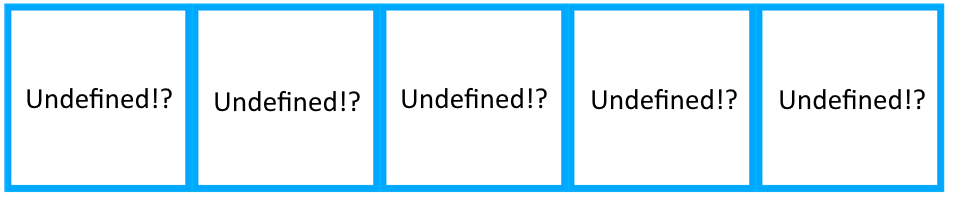
Undefined! Since we did not assign any values to the array when we created it,
we don’t know what values exist in those memory locations (it’s total garbo!)
myArray
Now we’ve got some arrays! Uh… how do we assign values to an array? And how do we access them later?
Well, we know the array’s name/identifier, same as if we’d made a single integer variable!
But to access individual elements, we add a pair of square brackets on the end, with the index of the element:
//This code sets the first element of the array myArray to the value of 847myArray[0] = 847;
Important! Arrays in C start from index 0
int dippers[9];dippers[0]; //Dipper classicdippers[1]; //Tyrone
Each individual element is anonymous; it doesn’t have a name.
So, if we wanted to set the elements in our integer array to be multiples of 100, it’d look like this:
//This is how we declare an integer array//This array has 5 integers in itint myArray[5];//Set the elements of the arraymyArray[0] = 100; //first element, index 0myArray[1] = 200; //second element, index 1myArray[2] = 300;myArray[3] = 400;myArray[4] = 500;
We could also do this in a loop, to make it easier!
Arrays in Loops
Finish the shell of the program below, to achieve the ouput from the code block above.
ONLY FILL IN THE BLANKS (do not otherwise edit the program or add more lines).
int myArray[5];for(int i = 0; i < 5; ++i){ /*PUT CODE HERE*/ = /*PUT CODE HERE*/;}
ANSWER
int myArray[5];for(int i = 0; i < 5; ++i){ myArray[i] = (100 + (100 * i));}
Loops and arrays were made for each other! We can now easily write code to not only store large swaths of data, but also access/modify that data!
Warning! Boundary Checking!
Reading/Writing outside the bounds of an array is LEGAL, but completely undefined! This is a very common mistake/bug made by programers across all experience levels. But it is a particularly galling bug for new programmers. The debugger is your best friend for finding and fixing these errors.
Errors caused by out-of-bound array indexing can be tricky because the behavior really IS undefined! Your code could crash, produce an infinite loop, or present results that make no sense in the context of your program.
Exercise: Out of Bounds!
Copy the code below into Visual Studio, compile it, and run it. Observe what happens. If the program crashes with an error, what is the value of i at the time of the crash? Change the condition in the first loop to i < 1000. Does the program behave differently?
int main(void){ //Set the values in our new array int smallArray[10]; for (int i = 0; i < 10; ++i) { smallArray[i] = i; } //Out of bounds! for (int i = 0; i < 1000; ++i) { printf("Value in smallArray:%d\n", smallArray[i]); } return 0;}
Exercise
The program below loops through numbers 0 to 150, inclusive. Create an array which stores an integer value for each Gen1/Kanto Pokemon. The integer value of a Pokemon will be used to determine if it is one of your favorites. Set your three favorites after creating the array (1 being most favorite, 3 being third favorite). Every other integer value in the array should be 0.
ONLY FILL IN THE BLANKS (do not otherwise edit the program or add more lines).
If you don’t remember the Gen1/Kanto Pokemon, click here
/* Example output: Pokemon 5 is favorite #: 2 Pokemon 93 is favorite #: 3 Pokemon 149 is favorite #: 1*/int main(void){ /*PUT CODE HERE*/ = { /*PUT CODE HERE*/ }; /*PUT CODE HERE(favorite Pokemon 1)*/ = 1; /*PUT CODE HERE(favorite Pokemon 2)*/ = 2; /*PUT CODE HERE(favorite Pokemon 3)*/ = 3; for (int i = 0; i < 151; ++i) { if (/*PUT CODE HERE*/) { printf("Pokemon %d is favorite #: %d\n", /*PUT CODE HERE*/, /*PUT CODE HERE*/); } } return 0;}
Copying arrays!
Arrays are special, and cannot be assigned to each other like normal variables. For example:
//This worksint x, y;x = 5;y = 6;x = y; //x is now 6//Create an array, set its valuesint myNumbers[10];for(int i = 0; i < 10; ++i){ myNumbers[i] = 9000 + i;}//Nope, this does NOT workint myOtherNumbers[10];myNumbers = myOtherNumbers;
Exercise
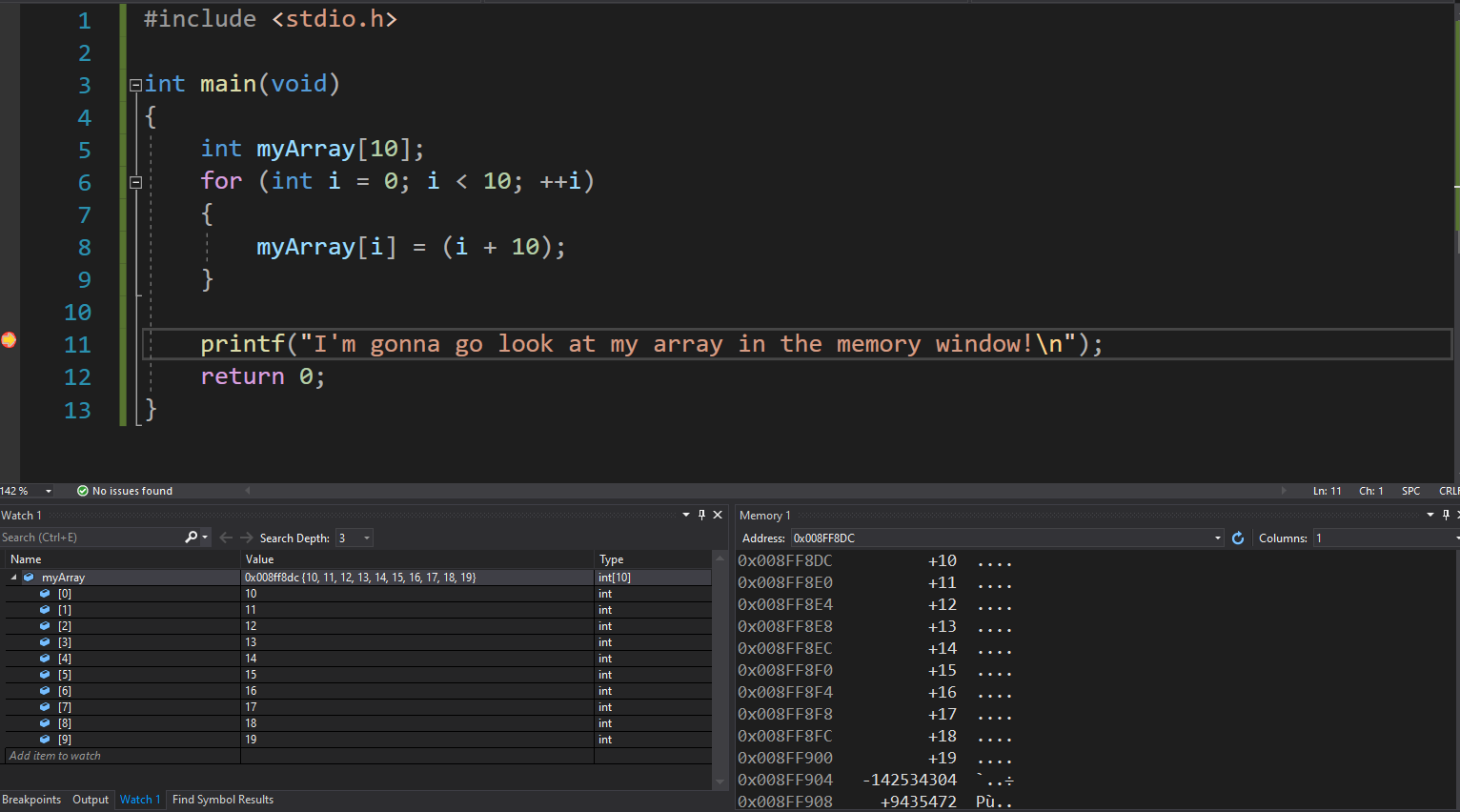
For the Pokemon program we made previously, use the watch window and the memory window to look at the array, and find your three favorite Pokemon. At what memory locations are your three favorites located?
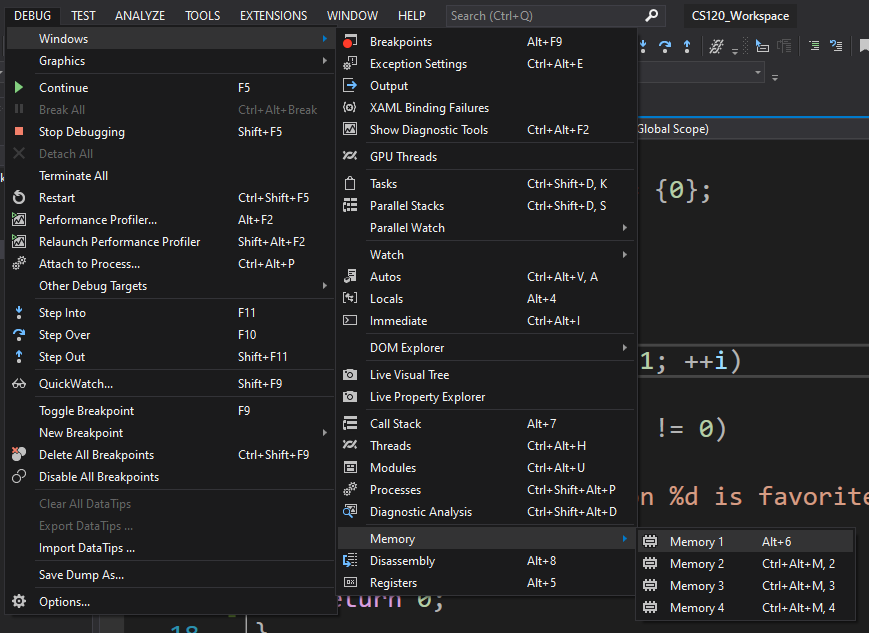
Tutorial: How to view the watch and memory windows
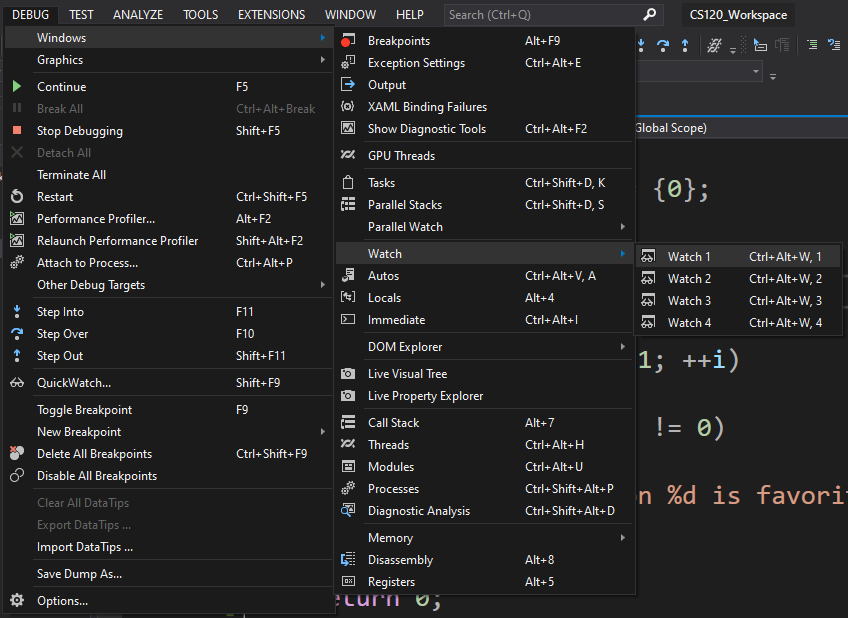
First, open the Debug menu, WHILE DEBUGGING
Memory Window: Windows → Memory → Memory 1
Watch Window: Windows → Watch → Watch 1
We can actually drag a variable from the watch window over to the memory window; the memory window will jump to the location of your variable, in memory: